Cutting Boot Time: What systemd-analyze Actually Tells You
Table of Contents
The machine was taking over two and a half minutes to reach a usable desktop. Not catastrophic, but long enough to notice every single time. I decided to actually look at it instead of just waiting.
Round One: 10:52 AM #
systemd-analyze
Startup finished in 14.056s (firmware) + 5.690s (loader) + 7.929s (kernel) + 2min 5.335s (userspace) = 2min 33.011s
The firmware and kernel numbers are fine — nothing to do there. Two minutes in userspace is the problem.
systemd-analyze blame | head -20
19.079s systemd-journal-flush.service
10.150s ifupdown2-pre.service
 8.219s networking.service
 6.566s ufw.service
 5.519s apparmor.service
 4.965s [email protected]
 4.680s podman-restart.service
 3.956s lightdm.service
 3.930s plymouth-quit-wait.service
 3.688s podman-auto-update.service
 3.257s [email protected]
systemd-analyze plot renders this as a Gantt chart — each bar is a service, width proportional to its startup time. The long red bars tell the story at a glance.
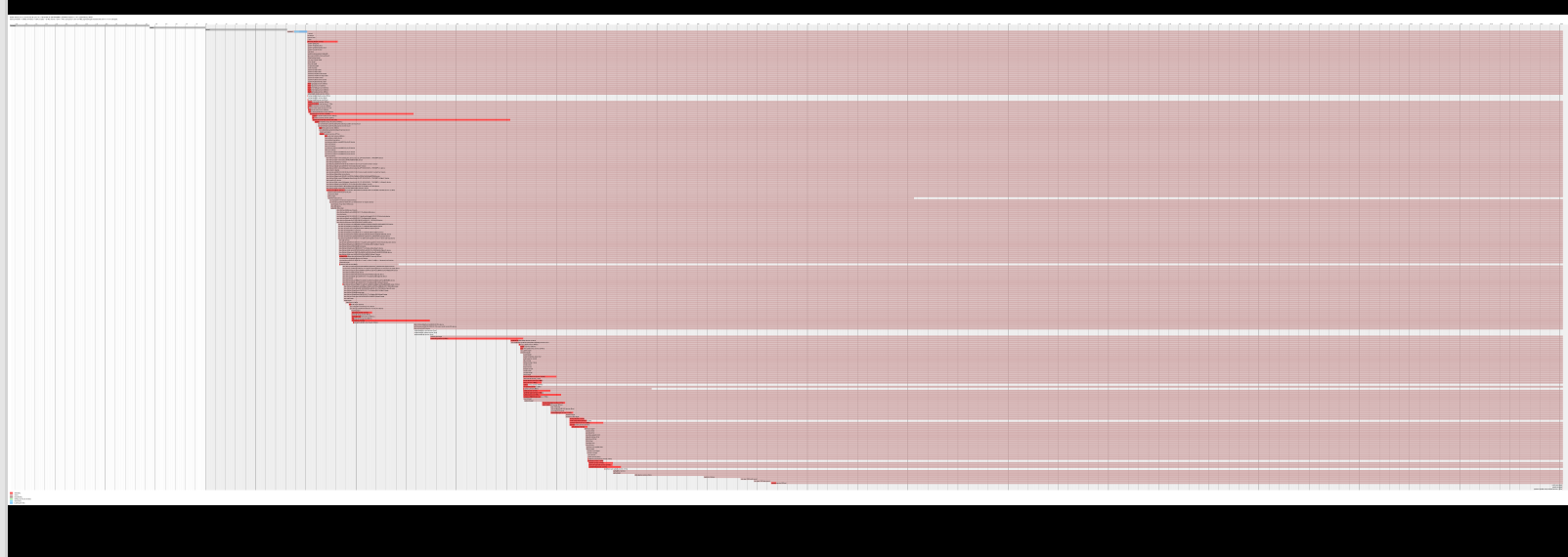
systemd-journal-flush at 19 seconds looked like the obvious first target. A bloated journal is a common culprit — the service waits until it has flushed everything from the volatile journal in /run to the persistent one in /var. The fix is usually to vacuum it down to a reasonable size.
sudo journalctl --vacuum-size=100M
Result: freed 0B. The journal wasn’t bloated at all. The 19 seconds was something else — possibly slow disk I/O on the underlying storage causing the flush itself to block, not the journal size.
That’s a useful lesson about blame output: the number tells you where time was spent, not why.
Round Two: 9:36 PM #
I ran the analysis again in the evening. The machine had gotten slower.
Startup finished in 13.866s (firmware) + 5.555s (loader) + 7.984s (kernel) + 2min 10.188s (userspace) = 2min 37.595s
35.338s docker.service
20.916s systemd-journal-flush.service
11.333s containerd.service
10.115s ifupdown2-pre.service
 8.793s networking.service
 8.326s vmware.service
 7.209s podman-restart.service
Docker had appeared at the top of the list — 35 seconds — with containerd behind it at 11. Together with Podman’s 7 seconds, that’s over 50 seconds of container infrastructure starting at boot, for a machine where I start containers manually when I need them.
This is the cleaner problem to solve. The journal might have underlying I/O reasons that take more digging. These services are simply set to start at boot when they don’t need to.
What Actually Moves the Needle #
The candidates to disable at boot, and why:
Docker + containerd (46s combined) — Docker is not a system daemon. Nothing depends on it being up at boot. Start it when you need it: sudo systemctl start docker. Containerd follows.
Podman-restart + podman-auto-update (12s combined) — podman-restart replays any containers with restart policies. podman-auto-update checks for image updates. Neither needs to block the boot sequence. Run auto-update manually or via a timer instead.
vmware.service (8s) — VMware kernel modules and services. Only needed when you’re about to launch a VM. Not worth paying 8 seconds every boot.
vncserver@1 (3s) — VNC is useful when I’m accessing this machine remotely, but it doesn’t need to be live on boot every time.
sudo systemctl disable docker containerd
sudo systemctl disable podman-restart podman-auto-update
sudo systemctl disable vmware
sudo systemctl disable [email protected]
The networking chain — ifupdown2-pre into networking — accounts for another 18 seconds. This machine runs both ifupdown2 (legacy) and NetworkManager, which are partially redundant. That’s a bigger cleanup than a one-liner, but worth returning to.
The Broader Point #
systemd-analyze blame is a sorted list of where time went, not a list of problems. Some entries are unavoidable (apparmor has to load its profiles; lightdm has to start the display server). Others — like container runtimes and VNC — are there because they were enabled at install time and nobody thought to question them.
The question worth asking for each entry: does this service need to be ready before I can use the machine, or does it just need to be available when I ask for it? Most daemons belong in the second category.
Starting a service on demand takes less than a second. Paying its startup cost on every boot, forever, doesn’t.