- Dinesh's Digital Journal/
- Writing/
- Vibecoding 013: Two Years of WhatsApp Group Chat Links, Sorted, Categorized and Searchable/
Vibecoding 013: Two Years of WhatsApp Group Chat Links, Sorted, Categorized and Searchable
Table of Contents
The Clear Writing Community WhatsApp group has been running for over four years. Amit Varma started it, and it does what it says — a few hundred people sharing things worth reading. Good articles, podcast episodes, essays, the occasional book. I’ve been in it since a little more than two years.
The problem is WhatsApp. Every link is buried in chat. The good ones get scrolled past, the useful ones are impossible to find again, and there’s no way to answer the most obvious question: what does this group actually share?
This week I built something to find out.
→ github.com/mr-dinesh/link-archive
The Build #
The first conversation with Claude was vague: how do I create an Excel sheet of all links from a WhatsApp group chat?
The answer started with Google Drive. The export was in a folder there, so the obvious first plan was OAuth, the Drive API, download the file programmatically. I started going down that road — credentials.json, scopes, token refresh — and then mentioned the zip file was already on my Desktop.
That was the moment I like best about vibecoding. The entire OAuth layer evaporated in one exchange. We pivoted to reading the zip directly, the script got simpler, and the thing that had felt like infrastructure became a five-line function. The Google Cloud Console setup that would have taken thirty minutes never happened.
def read_chat_from_zip(zip_path):
    with zipfile.ZipFile(zip_path) as z:
        txt_names = [n for n in z.namelist() if n.endswith(".txt")]
        return z.read(txt_names[0]).decode("utf-8", errors="ignore")
That’s the whole file reader. The exports go in as a zip, the text comes out.
Parsing WhatsApp Exports #
WhatsApp exports are messier than they look. The format varies by operating system (Android vs iOS), locale (date order), and time convention (12h vs 24h). A message that starts a new line without a timestamp is a continuation of the previous message, not a new one.
The naive approach — split by line, look for timestamps — falls apart immediately on multi-line messages. The right approach is to find message boundaries first, then extract the body between them:
MSG_RE = re.compile(
    r"^(?:\[)?(\d{1,2}/\d{1,2}/\d{2,4}),\s+"
    r"(\d{1,2}:\d{2}(?::\d{2})?(?:\s*[AP]M)?)(?:\])?"
    r"\s*[-–]\s*"
    r"([^:]+):\s*",
    re.MULTILINE | re.IGNORECASE,
)

def parse_messages(text):
    matches = list(MSG_RE.finditer(text))
    messages = []
    for i, m in enumerate(matches):
        body_start = m.end()
        body_end   = matches[i + 1].start() if i + 1 < len(matches) else len(text)
        body       = text[body_start:body_end].strip()
        messages.append((m.group(1), m.group(2).strip(), m.group(3).strip(), body))
    return messages
Each message becomes a (date, time, sender, body) tuple. URLs are then extracted from the body with a single regex, stripped of trailing punctuation, and deduplicated across the entire chat.
The date parsing alone required ten format strings to handle all the variants WhatsApp produces:
DATE_FORMATS = [
    "%d/%m/%y %I:%M %p",   # Android EU 12h  ← this group's format
    "%m/%d/%y %I:%M %p",   # Android US 12h
    "%d/%m/%Y %I:%M %p",   # iOS EU 12h
    # ... seven more
]
The group is based in India, with many active members from across the globe, so day/month/year with a 12-hour clock is what actually appeared. But you don’t know that until you try parsing and see what succeeds.
Categorising 4,094 Links #
Once the extraction was working, the obvious next step was categories. The data was telling a clear story by domain — open.substack.com dominated, followed by youtu.be, x.com, youtube.com. The question was how many distinct buckets made sense.
Twenty-two, as it turned out.
The categorisation function is a priority-ordered list of rules. Each rule tests the domain:
CATEGORY_RULES = [
    ("YouTube",            lambda n, _: n in ("youtu.be", "youtube.com", "m.youtube.com")),
    ("Substack",           lambda n, _: n == "open.substack.com"
                                        or n.endswith(".substack.com")
                                        or n == "substack.com"),
    ("Indian News",        lambda n, _: n in ("thehindu.com", "indianexpress.com",
                                              "scroll.in", "newslaundry.com", ...)),
    ("International News", lambda n, _: n in ("nytimes.com", "theatlantic.com",
                                              "economist.com", "ft.com", ...)),
    ("Books / Amazon",     lambda n, _: n in ("amzn.in", "amazon.in", "goodreads.com", ...)),
    # ... 17 more
    ("Blog / Personal / Miscellaneous", lambda n, _: True),  # catch-all
]
First match wins. Everything that doesn’t match a known platform falls through to the catch-all. The order matters — YouTube before Substack before News before Miscellaneous.
Here’s what four years of the Clear Writing Community actually shares:
| Category | Links |
|---|---|
| Substack | 1,469 |
| Blog / Personal / Miscellaneous | 983 |
| YouTube | 570 |
| Twitter / X | 214 |
| 143 | |
| International News | 113 |
| Indian News | 113 |
| Books / Amazon | 77 |
| Essays / Literary | 50 |
| Spotify | 49 |
| Medium | 45 |
| Cricket / Sports | 19 |
The Substack number surprised me. Nearly 1,500 newsletter links from a group of a few hundred people, over four years. It’s a writing group, so it tracks — half the members probably have Substacks — but the sheer volume clarifies something about how independent writing has moved in the last few years. The IndieWeb is a lot of Substacks now.
The “Miscellaneous” category is the honest one. 983 links that matched no known platform — individual writers’ personal sites, domain names I didn’t recognise, things that have no obvious home. In another project I’d go through those by hand. For now, the category name is accurate enough.
Adding the UI #
The CLI script worked — run it, get an Excel file — but there was no polish. A tool this useful deserved a proper interface.
The design direction committed early: dark, editorial, literary. This is a writing community. The UI should feel like it belongs in that world. No dashboards, no pastel gradients, no generic data-tool aesthetic.
The font pairing: Cormorant Garamond italic for the display heading (Link Archive, in italic, with the word “Archive” in green), Syne for UI labels and buttons, JetBrains Mono for URLs, dates, and counts. Three typefaces that don’t fight each other but also clearly aren’t defaults.
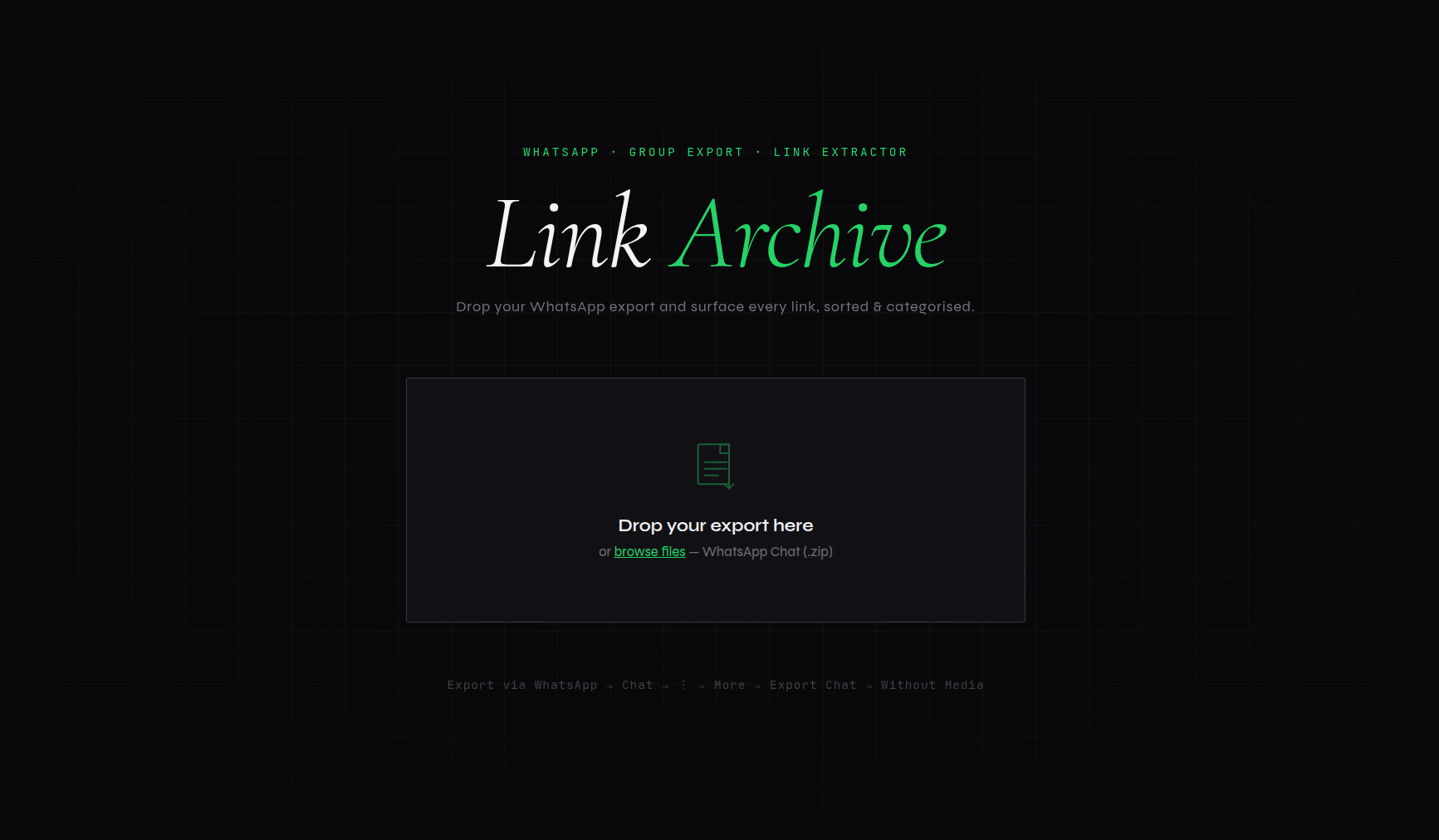
The upload page is a single centered drop zone on a near-black grid background. Animated corner brackets appear on hover. The heading is large, italic, unhurried. The interface communicates: this is a tool that takes its subject seriously.
The results page has a sticky nav showing the total count and a Download Excel button that’s always accessible, a horizontal scrolling category strip where each category card carries its brand colour (YouTube red, WhatsApp green, Substack orange), a live search that filters across URL, sender, and message simultaneously, and 75-row-per-page pagination with page jumping.
The whole thing runs on vanilla HTML, CSS, and JavaScript — no React, no build step, no bundler. The data is embedded as JSON in the template and the table is rendered client-side. With 4,094 links that’s about 1MB of JSON, which a modern browser handles without blinking.
What Vibecoding This Felt Like #
The iterations on this project were all about refinement, not direction.
The direction was clear from the first exchange: take a WhatsApp export, get me a list of links. Everything after that was a conversation about how to do that better. The Google Drive detour was a real plan that got abandoned when a simpler one appeared. The category naming went through three rounds — “Blog / Personal Site,” “Miscellany,” “Blog / Personal / Miscellaneous” — each iteration from a single message. The UI design direction was specified in a paragraph and executed in one pass.
What makes this different from writing code with a Stack Overflow tab open is the coherence. Each iteration is aware of all the previous ones. When the category name changed, everything that referenced it changed. When the zip turned out to be local, the OAuth scaffolding was removed cleanly. There’s no orphaned code from abandoned approaches.
The honest assessment of this project: it’s a well-executed utility script with a good web UI. It’s not a complex system — one file, one Flask app, no database, no auth. For a portfolio, the other projects in this series have more architectural range. What this one shows is that the gap between “I want to surface all the links from my WhatsApp group” and “here is a working web app that does that with 4,094 categorised links available for download” can close in a single afternoon.
That gap used to be bigger.
github.com/mr-dinesh/link-archive
Part of the 100 Vibe Coding Projects series.